intro#
Not much to say here; I occasionally use a Wacom CTH-680 drawing tablet as a mouse substitute and for sketches. I keep dropping the pen/stylus on the ground because I’m a clumsy fool. As it turns out, its pressure sensors are quite fragile, and (repeatedly) landing hard directly on the nib/eraser is just about the worst thing possible. I’ve since replaced the tablet with a PTH-660, which uses a different (incompatible) stylus KP501.
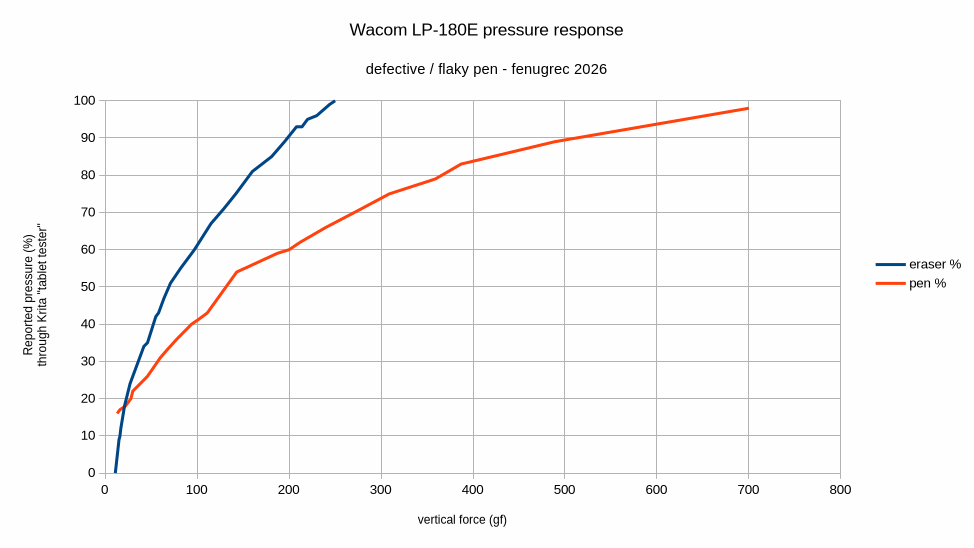
In my case, the eraser was working well but only part of the time; the pen was also flaky but only at low <40% pressures. I was hoping to find a simple mechanical fix and was only partially disappointed.
disassembly#
As seems to be common for a many Wacom pens, one needs to first remove the plastic button rocker - it pries out with a small flat screwdriver. Then, pulling apart (without unduly twisting) the two halves of the body. This needs a fair amount of controlled force to not throw small parts everywhere when the halves eventually separate.
The eraser end consists of the rounded hard-plastic “head” plus a plastic plunger similar to plain nibs.
To further take apart the pressure sensor assemblies :
- pull eraser and/or nib out. This frees the ferrite coil
- (extra risk for no benefit, not required: remove rubber bumper carefully)
- de-solder 2 pins of the sensor element
- sensor assembly + black plastic holder can now come off.
- White sensor assembly has a few parts too, I haven’t gone farther than this. One would need to release two metal tabs from the plastic body
failure 1 : simple mechanical breakage#
At the eraser end, I was lucky : the larger pin (actually part of the stamped sheetmetal) of the sensor assembly was broken off. Soldered a wire right beside. Broken pin was attached to near the top corner:
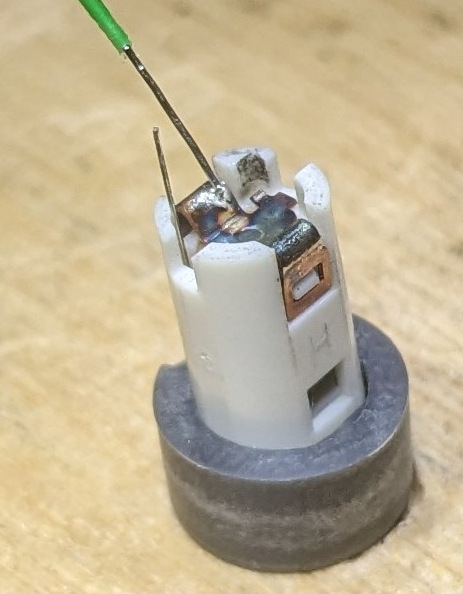
Luckily this worked; eraser now operates normally.
failure 2 : loose sensor + unknown trauma#
At the writing end, the sensor seemed to be un-clipped to the plastic body - I just pushed it back in place. Less fortunate here however, the sensor is still intermittent. Probably some internal fault .
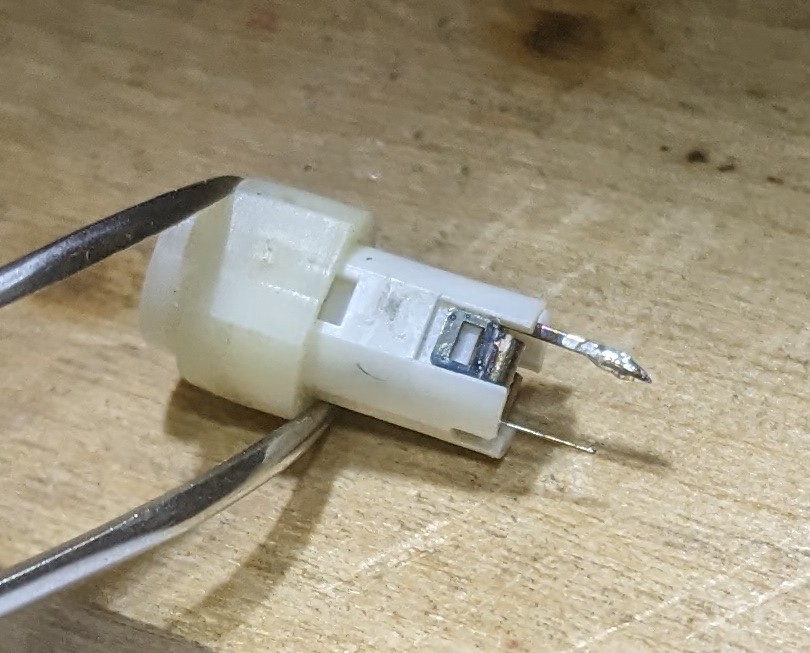
To my knowledge nobody sells replacement sensors, and the stylus is discontinued since long ago, so this is now mostly a deadweight. Next time I’ll buy a spare stylus and keep it in a vault, safe from gravity and me…
pressure response test#
I wondered about swapping pen and eraser sensors, but it’s not clear if their response differ at the hardware or software level :
LP-180E internals#
Default stylus for CTH-480,680,… series :
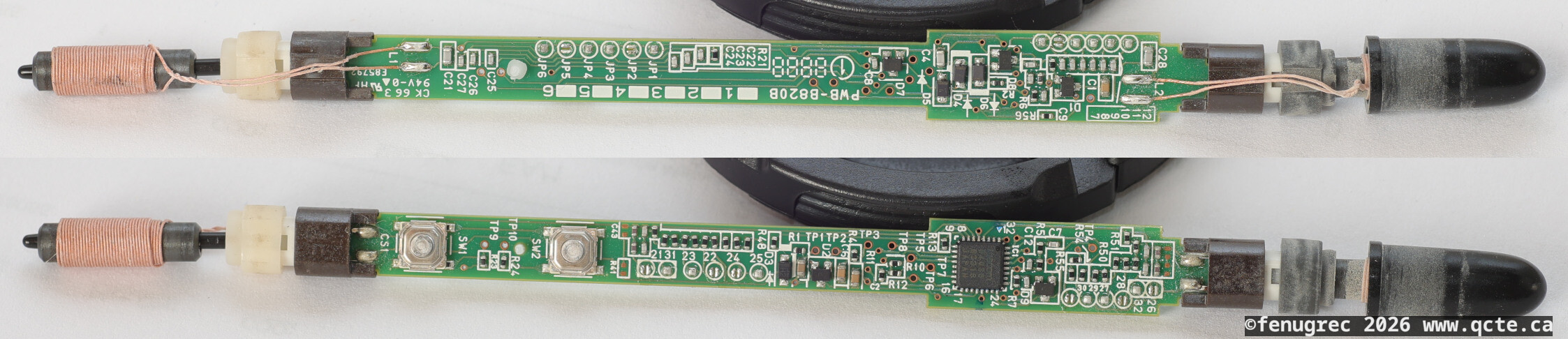
Mostly a Wacom ASIC that does the heavy lifting. Battery-less, a.k.a ‘EMR’ technology. Ferrite coil; power and signal modulated on 667kHz according to FCC filing docs. A few people have analyzed all this in more depth.
The pressure sensor is supposedly a capacitive element ? I have not verified this.
There are many solder jumpers all over the pcb; when there are only a few it sometimes indicates configurable options (i.e. one same PCB can end up in multiple different product variants) but I doubt that is the case here. Clearly most of them go to different capacitors or resistors, which indicate some sort of tuning process. The capacitors are connected to the ferrite coils, indicating a resonance adjustment. The resistors seem to connect to the pressure sensor, which I believe is capacitive. Not sure what adjustment they’re making here.
KP-501 internals#
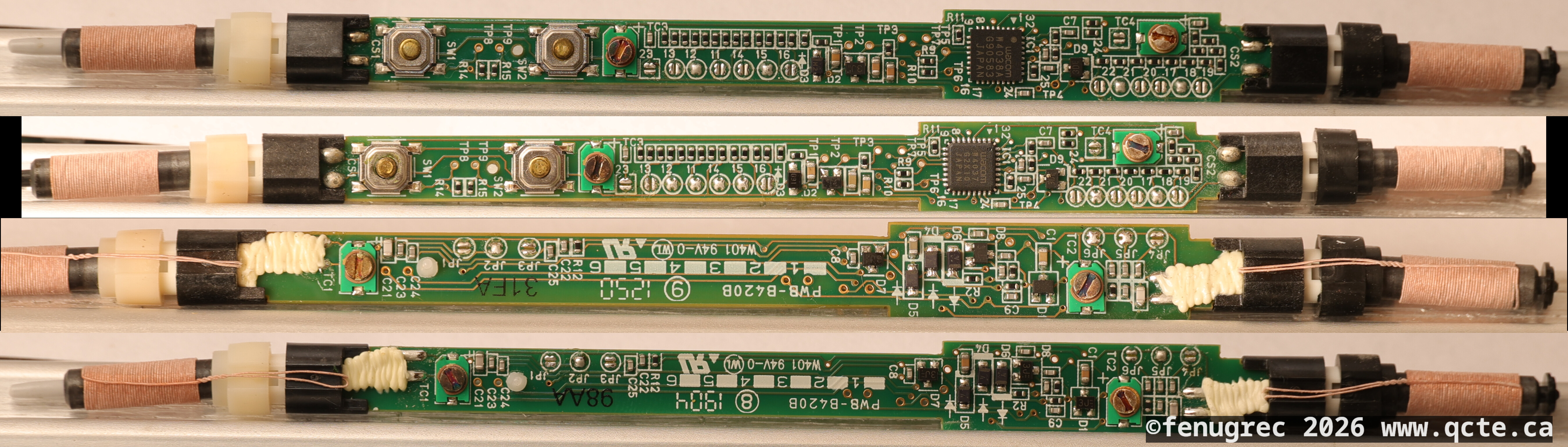
Default stylus for a few series circa 2017, e.g. intuos4, intuos5, DTK, DTH, PTH… I have two of these with apparently identical PCBs but different build dates, different ASIC (W4037 vs W4038A), different jumper configs (confirming the ‘factory tuning’ theory). Interestingly, there is also a trimmer cap for each coil, as well as a few selectable capacitors.
pressure response#
TBD
switch repair#
One had a grungy switch that was no longer ‘clicky’:
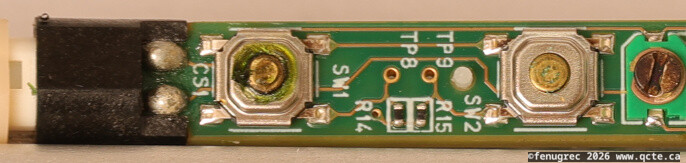
Dimensions seem to match a popular size of tactile switch, nominally 5.2x5.2mm square body, 1.5mm total height, and approx 90-100gf actuation force. Example replacement: Alps SKQGAFE010 (not tested yet)